Taichi Website Redesign
Taichi Website Redesign
Taichi Website Redesign
Figma | 2026
Figma | 2026
Figma | 2026

Redesigning a favorite boba tea website.
Redesigning a favorite boba tea website.
Redesigning a favorite boba tea website.
Skills
Skills
UI/UX Design
UI/UX Design
Goal
Goal
Make the Taichi Website a more efficient and enjoyable experience, reduce the time per order, and increase regular customers
Make the Taichi Website a more efficient and enjoyable experience, reduce the time per order, and increase regular customers
Time
Time
1 month
1 month
UX Research
UX Research
UX Research
Conducted user testing of four individuals using the original site
Conducted user testing of four individuals using the original site
Users relied on the header buttons as opposed to scrolling
Frustration with inefficient functions and disorganization
Users relied on the header buttons as opposed to scrolling
Frustration with inefficient functions and disorganization
Users relied on the header buttons as opposed to scrolling
Frustration with inefficient functions and disorganization
Taichi's Original Site:
Taichi's Original Site:



The home page has a lot of content as you scroll through the page, however during testing users gravitated towards the header buttons rather than scrolling through the page, missing all the information.
The home page has a lot of content as you scroll through the page, however during testing users gravitated towards the header buttons rather than scrolling through the page, missing all the information.
The home page has a lot of content as you scroll through the page, however during testing users gravitated towards the header buttons rather than scrolling through the page, missing all the information.
How can I improve the experience?
How can I improve the experience?
How can I improve the experience?
Problems
Problems
Solutions
Solutions
Lack of information
Lack of information

Add restaurant must-haves
Add restaurant must-haves
Confusing layout
Confusing layout
- Remove redundancy and unimportant details
+ Add intuitive features
- Remove redundancy and unimportant details
+ Add intuitive features
Button issues
Button issues
Bug fixes
Bug fixes
Outcome
Outcome
Redesigned Header Pages
Redesigned Header Pages

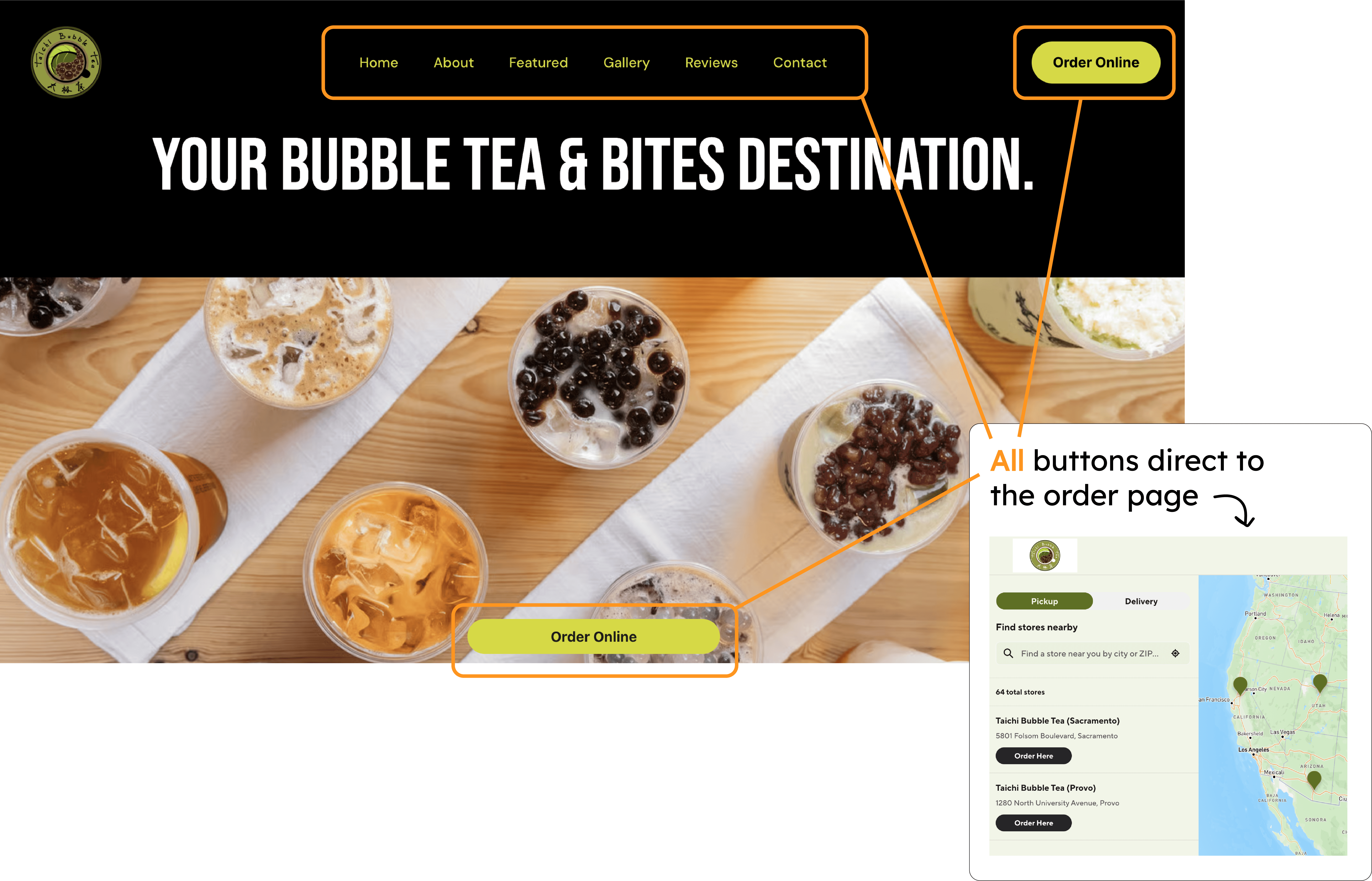
4 header buttons and a short
Home page

About section has its own page, and won't go missed by scrolling

Menu has more organization to decrease the risk of overwhelming the user

New Rewards header, since it was the primary feature of the Taichi mobile app
4 header buttons and a short Home page
About section has its own page, and won't go missed by scrolling
Menu has more organization to decrease the risk of overwhelming the user
New Rewards header, since it was the primary feature of the Taichi mobile app
Changes
Changes
Changes
Shortened home page, information spread among other headers
Minimal scrolling
Reduced to 3 headers + order button
Shortened home page, information spread among other headers
Minimal scrolling
Reduced to 3 headers + order button
What stayed
What stayed
What stayed
Font, brand colors
Inviting language and imagery
Font, brand colors
Inviting language and imagery
New Feature: Make an Account
New Feature: Make an Account
Functions
Functions
Pen Tool shows that you can edit the input
Dietary Restrictions Filter allows user to personalize the menu and ordering experience
Checkbox System makes filtering efficient and simple
Pen Tool shows that you can edit the input
Dietary Restrictions Filter allows user to personalize the menu and ordering experience
Checkbox System makes filtering efficient and simple
Why create this feature?
Why create this feature?
Why create this feature?
The Taichi mobile app focuses on this feature
Difficult to access on the official site
The Taichi mobile app focuses on this feature
Difficult to access on the official site
Dietary restrictions change the menu
Dietary restrictions change the menu

Reflections
Reflections
Learned : How to make a custom drop-down, ways to conduct user research and testing
Went wrong : Reorganization of menu layout led to more confusion - too minimal can be just as confusing
Change : Avoid scrollable pages when possible, and if not then target the most important information as the landing sections
Learned : How to make a custom drop-down, ways to conduct user research and testing
Went wrong : Reorganization of menu layout led to more confusion - too minimal can be just as confusing
Change : Avoid scrollable pages when possible, and if not then target the most important information as the landing sections
Psst down here!
Psst down here!


